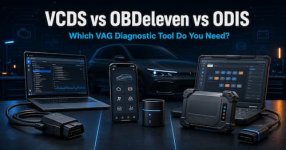
If you own a Volkswagen, Audi, Škoda, SEAT or CUPRA and are comparing VCDS vs OBDeleven vs ODIS, the right VAG diagnostic tool depends on what you want to accomplish. OBDeleven offers convenient smartphone diagnostics and coding, VCDS provides detailed enthusiast-level control and data logging, while ODIS Service is the official Volkswagen Group workshop solution.This guide compares their diagnostic functions, coding capabilities, hardware requirements, subscriptions, SFD support and major limitations.
Last reviewed: July 2026. This independent guide is not sponsored by or affiliated with Volkswagen Group, Ross-Tech or OBDeleven.
Quick answer
- Choose VCDS if you are a serious VAG enthusiast, independent specialist or DIY technician who wants detailed scans, measuring values, logging, coding, adaptations and basic settings.
- Choose OBDeleven if you want a compact Bluetooth device, smartphone operation and easy One-Click Apps, with optional manual coding through a paid plan.
- Choose ODIS Service if you operate a workshop and need official guided diagnostics, factory procedures, control-unit software updates or authorized security-related functions.
- Use more than one tool if you regularly work on different generations of VAG vehicles. Many specialists use VCDS for fast everyday diagnosis and authorized ODIS when a factory-only procedure is required.
VCDS: best for serious enthusiasts and independent VAG specialists
VCDS, formerly known as VAG-COM, is developed by Ross-Tech specifically for Volkswagen Group vehicles. It runs primarily on Windows and requires a genuine Ross-Tech interface such as the wired HEX-V2 or wireless HEX-NET.Current Ross-Tech interfaces support diagnostic-capable Volkswagen Group passenger cars from approximately 1996 to current models. Many earlier vehicles are also supported, sometimes with a separate 2x2 adapter. Check the official Ross-Tech interface compatibility information before purchasing.
What VCDS can do
VCDS supports functions including:- Complete vehicle Auto-Scan
- Reading and clearing diagnostic trouble codes
- Freeze-frame and control-unit information
- Live measuring values
- CSV data logging and graphing
- Coding and long coding
- Adaptations and long adaptations
- Basic settings and calibrations
- Output tests
- Service interval resets
- Control-module maps
- Gateway installation list changes
VCDS advantages
- Mature, VAG-specific diagnostic platform
- Excellent whole-vehicle Auto-Scan
- Detailed measuring values and data logging
- Strong coding, adaptation and basic-setting functions
- Works without an internet connection for most normal diagnostic tasks
- Useful documentation through Ross-Tech manuals, Wiki and community
- Genuine interfaces include the VCDS software licence
VCDS disadvantages
- The full desktop application requires a Windows computer
- HEX-V2 is USB-only; wireless operation requires HEX-NET
- Enthusiast interfaces may have a limited number of registered VINs
- It does not perform factory ECU software flashing
- Some functions on newer SFD-protected vehicles may be restricted
- It does not provide the same guided factory repair workflow as ODIS
OBDeleven: best for smartphone convenience and easy coding
OBDeleven combines a small Bluetooth diagnostic interface with Android and iOS applications. It is aimed at everyday owners as well as enthusiasts who want advanced VAG diagnostics without carrying a Windows laptop.With the device and free plan, users can perform basic fault reading and clearing, view live data and run general diagnostics. More advanced functions depend on the selected plan.
OBDeleven plans explained
Free planSuitable for:
- Reading and clearing faults
- Basic diagnostics
- Viewing live data
- Checking vehicle information
- Using separately purchased One-Click Apps
Adds functions such as:
- Manual coding and long coding
- Adaptations and long adaptations
- Basic settings
- Output tests
- Gateway installation list
- SFD unlock on supported vehicles
Includes PRO features and access to One-Click Apps under the applicable fair-use policy. One-Click Apps are predefined changes that can activate or modify supported features without manually entering coding or adaptation values.
Plan features can change, so verify them on the official OBDeleven plan comparison.
OBDeleven advantages
- Compact and easy to keep in the vehicle
- Works with supported Android and iOS devices
- Fast whole-vehicle scans
- Convenient live-data viewing
- One-Click Apps are beginner-friendly
- Manual coding and adaptations are available with PRO or ULTIMATE
- SFD unlocking is available on supported vehicles and functions
- One account can be used with multiple vehicles
OBDeleven disadvantages
- Manual coding requires a paid plan
- One-Click Apps may require Credits unless covered by ULTIMATE
- Some functions require a stable internet connection
- Exact features depend on the device, app, plan, region and vehicle
- Features are currently being migrated between the OBDeleven VAG app and the main OBDeleven app
- Newer SFD2-protected vehicles may have limited writable functions
- It is not a substitute for official ODIS control-unit flashing
ODIS Service: best for professional workshops and factory procedures
ODIS Service, short for Offboard Diagnostic Information System Service, is the official Volkswagen Group diagnostic platform.It supports Volkswagen, Volkswagen Commercial Vehicles, Audi, Škoda, SEAT/CUPRA, Bentley and Lamborghini. It can operate with official VAS diagnostic interfaces such as the VAS 6154A or with validated SAE J2534-compatible interfaces. Volkswagen lists the current requirements through its official erWin ODIS information.
ODIS Service is designed around factory workshop procedures rather than enthusiast modifications.
What ODIS Service can do
Depending on the vehicle, licence and user authorization, ODIS can provide:- Complete vehicle diagnosis
- Guided fault finding
- Factory test plans
- Repair instructions during diagnostic sessions
- Official control-unit software updates
- Software Version Management procedures
- Control-unit replacement and commissioning
- SFD-authorized procedures
- Security-related functions with the required GeKo, FAZIT or SERMI rights
- Communication with official Volkswagen Group systems
ODIS advantages
- Official Volkswagen Group diagnostic software
- Guided diagnostic test plans
- Factory procedures and technical information
- Best option for authorized control-unit software updates
- Designed for new-module installation and commissioning
- Official route for protected online and security-related functions
- Supports approved VAS and validated SAE J2534 hardware
ODIS disadvantages
- Intended primarily for registered automotive businesses
- Requires more complicated registration and setup
- ODIS users require an active Group Retail Portal account and two-factor authentication
- Security functions require additional approval and user rights
- Diagnostic access and information may use paid flat-rate periods
- Requires a suitable Windows computer and compatible interface
- Excessive for most private owners
- Unofficial or cracked versions should not be treated as a safe alternative to authorized access
VCDS vs OBDeleven vs ODIS comparison
| Feature | VCDS | OBDeleven | ODIS Service |
|---|---|---|---|
| Best suited to | Enthusiasts and VAG specialists | Owners and mobile users | Professional workshops |
| Main platform | Windows PC | Android and iOS | Windows workshop computer |
| Connection | USB or Wi-Fi, depending on interface | Bluetooth | VAS or validated J2534 VCI |
| Whole-vehicle scan | Yes | Yes | Yes |
| Read and clear VAG faults | Yes | Yes | Yes |
| Live data | Yes | Yes | Yes |
| Detailed data logging | Excellent | Available, vehicle-dependent | Factory diagnostic workflow |
| Manual coding | Yes | PRO or ULTIMATE | Yes, where authorized |
| Adaptations and basic settings | Yes | PRO or ULTIMATE | Yes |
| Beginner-friendly One-Click changes | Limited wizards; no OBDeleven-style Apps | Yes | Not its primary purpose |
| Guided fault finding | No | No | Yes |
| Factory ECU software updates | No | Not a replacement for factory flashing | Yes, with valid access |
| SFD support | Limited by vehicle and available authorization | Supported functions with PRO/ULTIMATE | Official route with approved rights |
| Typical payment model | Interface purchase; some VIN limits | Device plus optional plans or Credits | Hardware, business access and flat rates |
| Works well without internet | Most normal functions | Some features require internet | Online access is important |
Which tool should you buy?
You own one VAG car and want simple diagnostics
Choose OBDeleven.The device-only functions are sufficient for reading faults and checking live data. Buy Credits for occasional One-Click Apps or choose PRO if you specifically need manual coding and adaptations.
You maintain or modify several VW, Audi, Škoda, SEAT or CUPRA vehicles
Choose VCDS.It offers detailed scans, strong logging and direct access to supported coding and adaptation functions. Check whether a VIN-limited or unlimited interface best matches the number of vehicles you expect to work on.
You regularly diagnose difficult electrical or drivability problems
Choose VCDS, especially if you need to save complete Auto-Scans, record measuring values and compare logs.ODIS may be more appropriate when the diagnosis requires an official guided test plan, but its access requirements make it less practical for most private users.
You run an independent VAG workshop
The strongest combination is often VCDS plus authorized ODIS Service.VCDS is convenient for everyday scans, coding, adaptations and logging. ODIS is needed when a job involves official software updates, guided factory procedures, component commissioning or protected online functions.
You mainly want easy feature activation
Choose OBDeleven.One-Click Apps are its clearest advantage. However, always read the requirements and record the original configuration before making changes.
What about SFD and SFD2?
Volkswagen Group introduced SFD protection to restrict unauthorized changes to protected control units. Some newer vehicles use expanded SFD2 protections.This means a diagnostic tool may successfully read fault codes and live data while coding, adaptations or other writable functions remain restricted.
- VCDS supports certain SFD workflows, but Ross-Tech cannot provide every required authorization token.
- OBDeleven includes SFD unlocking for supported vehicles and functions with PRO or ULTIMATE.
- ODIS Service provides the official route, but the user still needs valid Group Retail Portal credentials and the appropriate rights.
- SFD2 support must be checked for the exact model, model year, control unit and intended procedure.
Safety rules before coding or adaptations
Regardless of which tool you use:- Save a complete vehicle scan before changing anything.
- Record or back up the original coding and adaptation values.
- Keep the vehicle battery properly supported during long procedures.
- Save fault codes and freeze-frame information before clearing them.
- Confirm that the procedure applies to the exact model, year, engine and control-unit software.
- Make one change at a time and test it before continuing.
- Use the official repair manual for basic settings, calibrations and output tests.
- Never interrupt control-unit flashing or programming.
- Never perform output tests on safety systems while the vehicle is moving.
- Avoid cloned interfaces and unauthorized software.
Frequently asked questions
Is OBDeleven as good as VCDS?
For quick smartphone diagnostics and supported One-Click Apps, OBDeleven may be more convenient. VCDS is generally better suited to detailed technical work, long diagnostic sessions, control-module mapping and structured data logging.Can VCDS replace ODIS?
Not completely. VCDS covers many diagnostic, coding and adaptation functions, but it does not replace authorized factory flashing, guided fault finding or protected online Volkswagen Group procedures.Does OBDeleven require a subscription?
A paid plan is not required for basic fault reading, clearing and live data. PRO or ULTIMATE is required for advanced manual VAG coding and adaptations. One-Click Apps may use Credits unless included under an applicable ULTIMATE plan.Can VCDS or OBDeleven update ECU software?
VCDS does not flash ECU firmware. OBDeleven should not be considered a replacement for an authorized ODIS software-update procedure. ODIS Service is the official option when a control unit requires Volkswagen Group factory software.Which tool is best for coding?
For detailed manual enthusiast coding, VCDS is a strong choice. OBDeleven is more convenient for mobile coding and predefined One-Click Apps. ODIS is best for approved factory configurations and procedures rather than unsupported personalization.Which tool is best for a new VAG vehicle?
Check the exact model and intended function before purchasing. All three tools may read basic diagnostic information, but SFD or SFD2 can restrict coding and adaptations. Authorized ODIS offers the broadest official access when the user has the necessary credentials and rights.Final verdict
There is no single winner in the VCDS vs OBDeleven vs ODIS comparison:- VCDS is the best all-round choice for serious VAG enthusiasts and independent specialists.
- OBDeleven is the most convenient choice for smartphone diagnostics and easy customizations.
- ODIS Service is the correct professional choice for official factory procedures and authorized online functions.
What do you use: VCDS, OBDeleven or ODIS? Reply with your vehicle model, year, engine, diagnostic tool and the main jobs you use it for. Real owner and workshop experiences will help us keep this comparison accurate as the platforms evolve.